Humanimalidad.
A virtual exhibition of six pre-Hispanic pieces from Ecuador, where humans and animals become one. Each piece turns a full 360° under your mouse or finger. Built entirely by hand with plain HTML, CSS and JavaScript.
> Try the prototype (opens in a new tab)- Context
- Final project at CEI, with three anthropologist co-curators
- My role
- Developer, every line of HTML, CSS and JavaScript
- Timeline
- April – May 2024 (about 3 weeks)
- Platforms
- Website, desktop, tablet and phone
The challenge
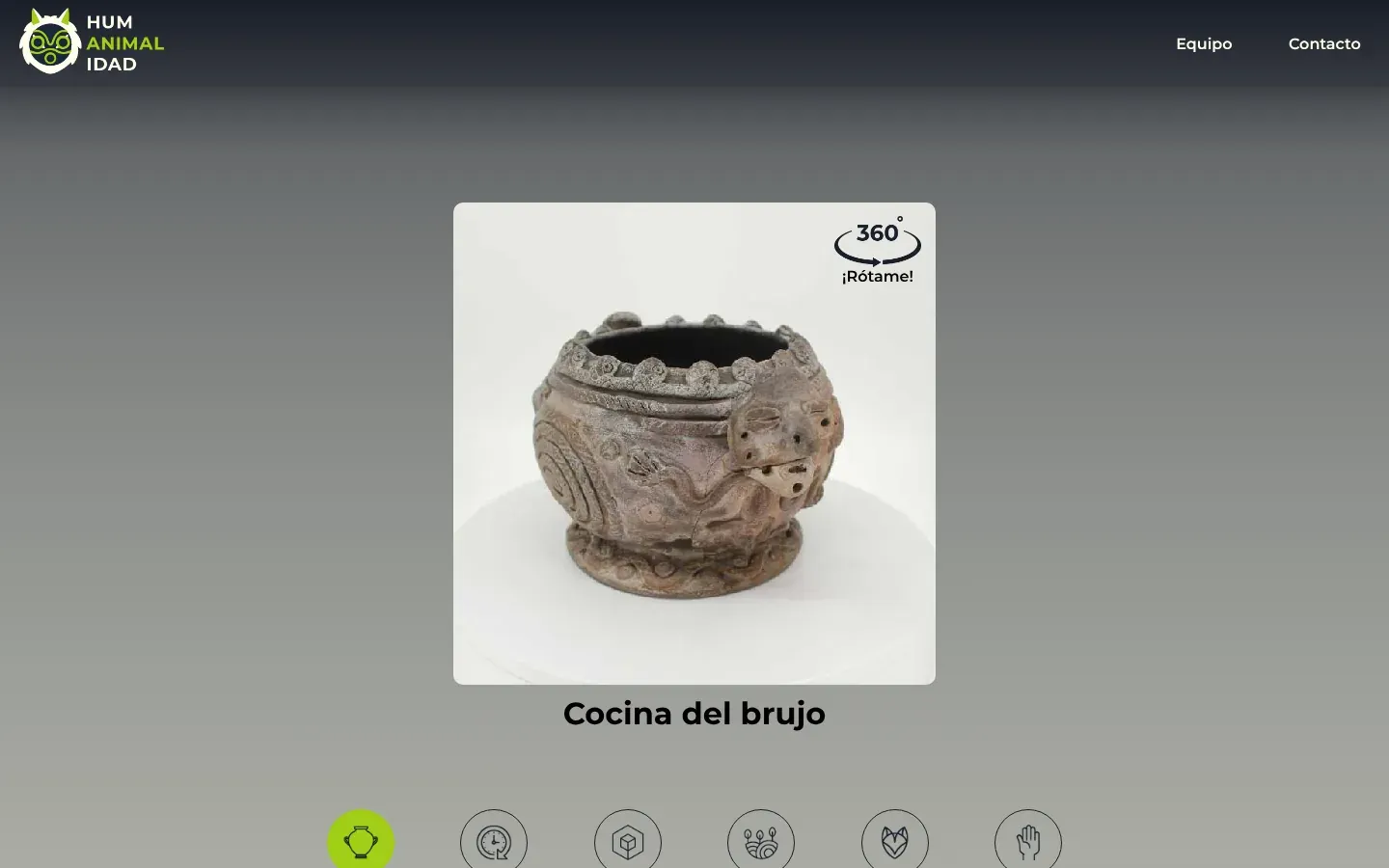
Humanimalidad is an exhibition about how Ecuador's pre-Hispanic cultures saw themselves in animals: shamans who became jaguars, birds and snakes. Three anthropologists curated six ceramic pieces from the Weilbauer Museum and wrote the texts. It needed a home online.
A museum piece is three-dimensional. A single photo shows one side, and the details the curators write about (a face on the back, a spiral on the side, a tail) are often on the side you can't see.
So the goal was to let visitors hold each piece and turn it, on a desktop or a phone, without 3D models, without plugins and without a library. Just the photos and code I wrote myself.
From photos to a turning piece
Step 01 / 05
Set the stage
The home page opens with the jaguar and the word HUM·ANIMAL·IDAD. As you scroll, the title slides left while the jaguar drifts right at a tenth of the speed, so the two pull apart like a curtain opening.
Both start from the positions set in the CSS, which the script reads back, so the effect keeps working when a media query moves them. The Explora la cultura button scrolls smoothly to the curators' statement.
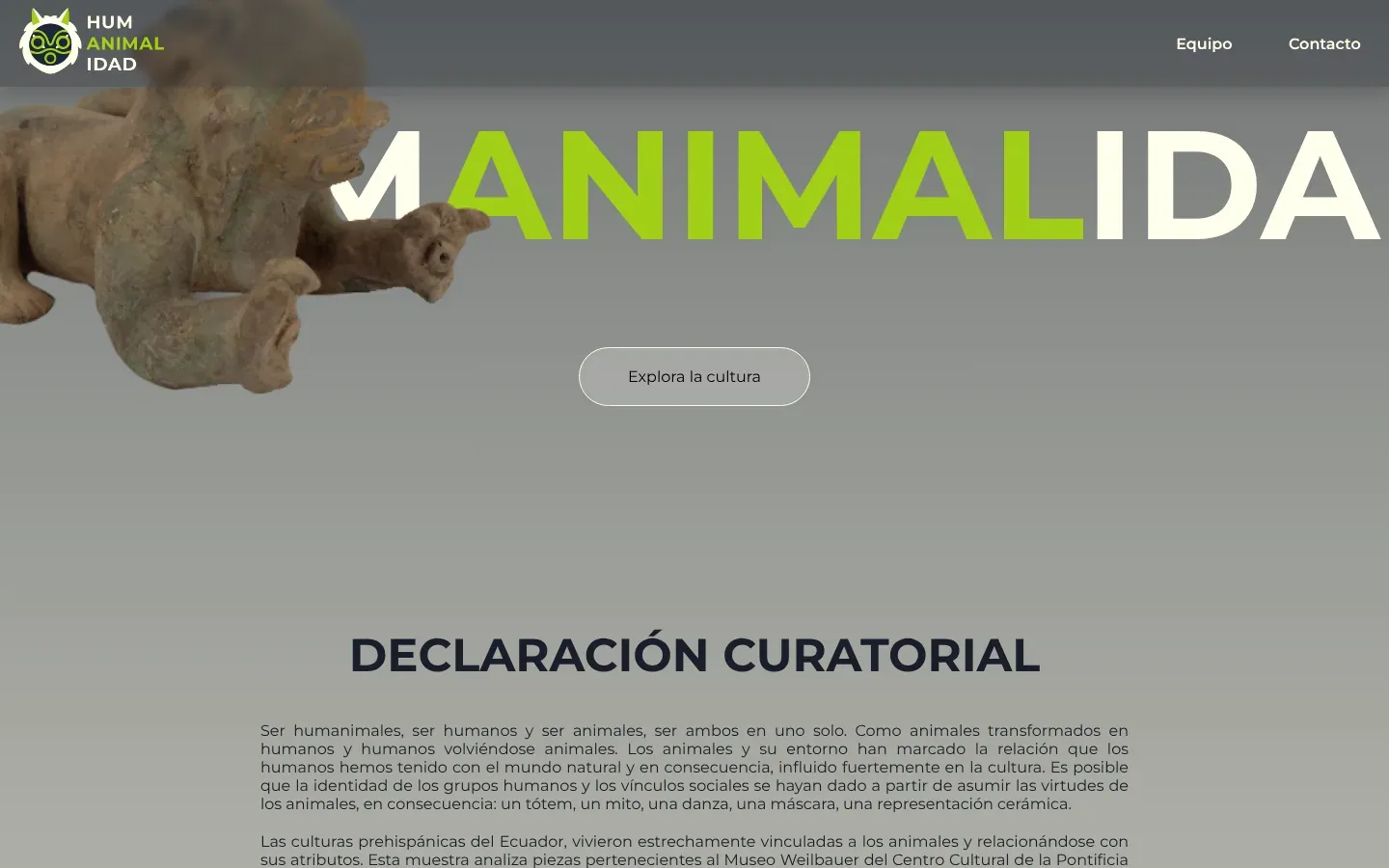
Scroll and the title slides away from the jaguar. Step 02 / 05
Invite people in
Below the statement the page asks a question, Si fueses un animal, ¿cuál serías? (If you were an animal, which would you be?), and lists the six pieces.
Each piece is drawn as a black stamp, like an engraving in an old field book, and the rows alternate left and right so the list reads like a walk past a display case.
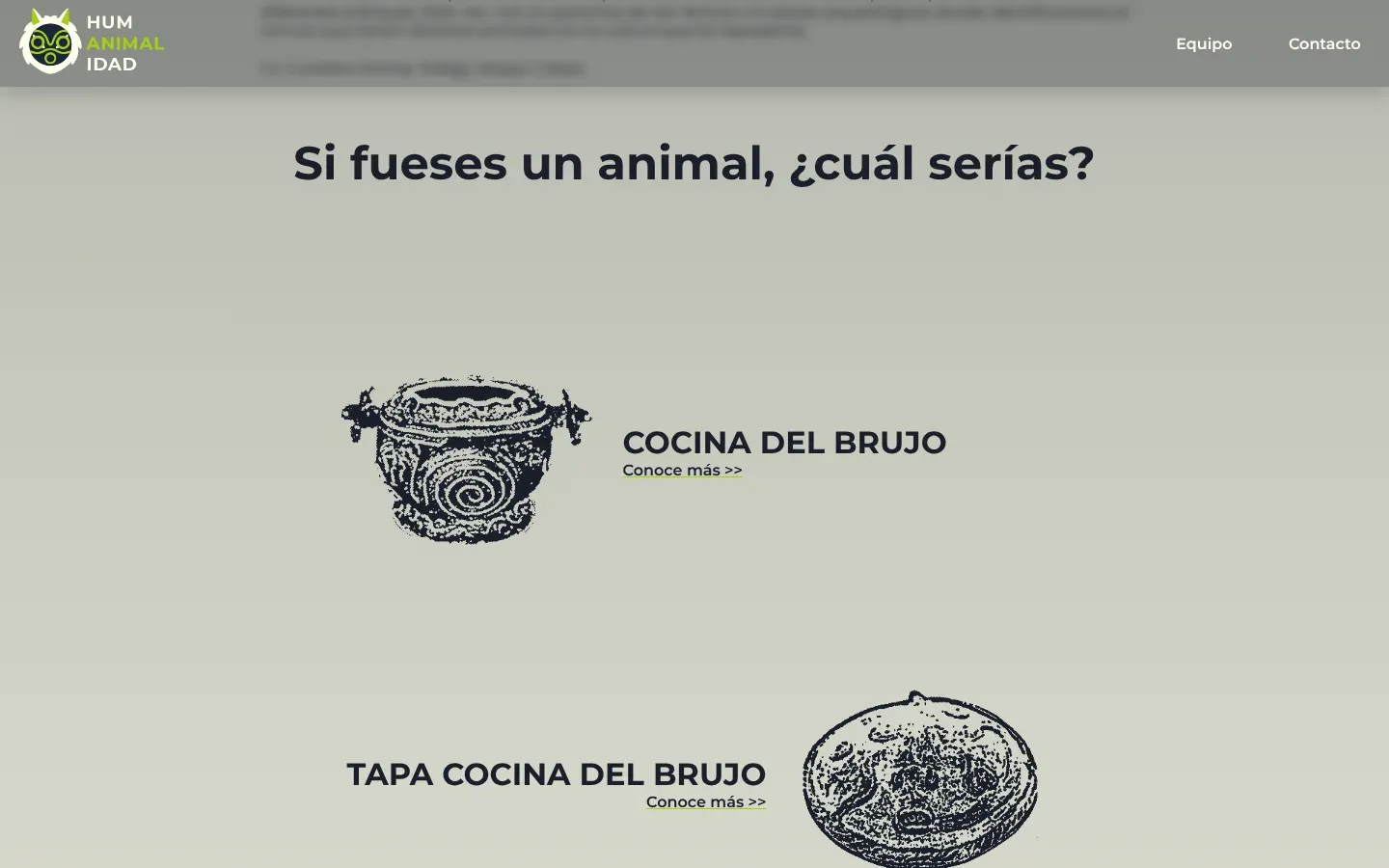
The six pieces as stamps, alternating sides. Step 03 / 05
Build the 360 viewer
This is the part I'm proudest of. Each piece was photographed on a turntable, and all 37 or 38 photos sit one under another in a single tall image: 640 pixels wide and more than 23,000 tall.
The viewer is a square window with overflow hidden, so only one frame shows. When you drag, the script compares where the pointer is now with where it was, and slides the image up or down by exactly one frame. Past the last frame it wraps to the first, so the piece turns forever.
The frame size isn't hard-coded: the script reads the window's height from the CSS each time you press. The same code works in the 500px desktop window and the 280px phone window, with the mouse or with touch.
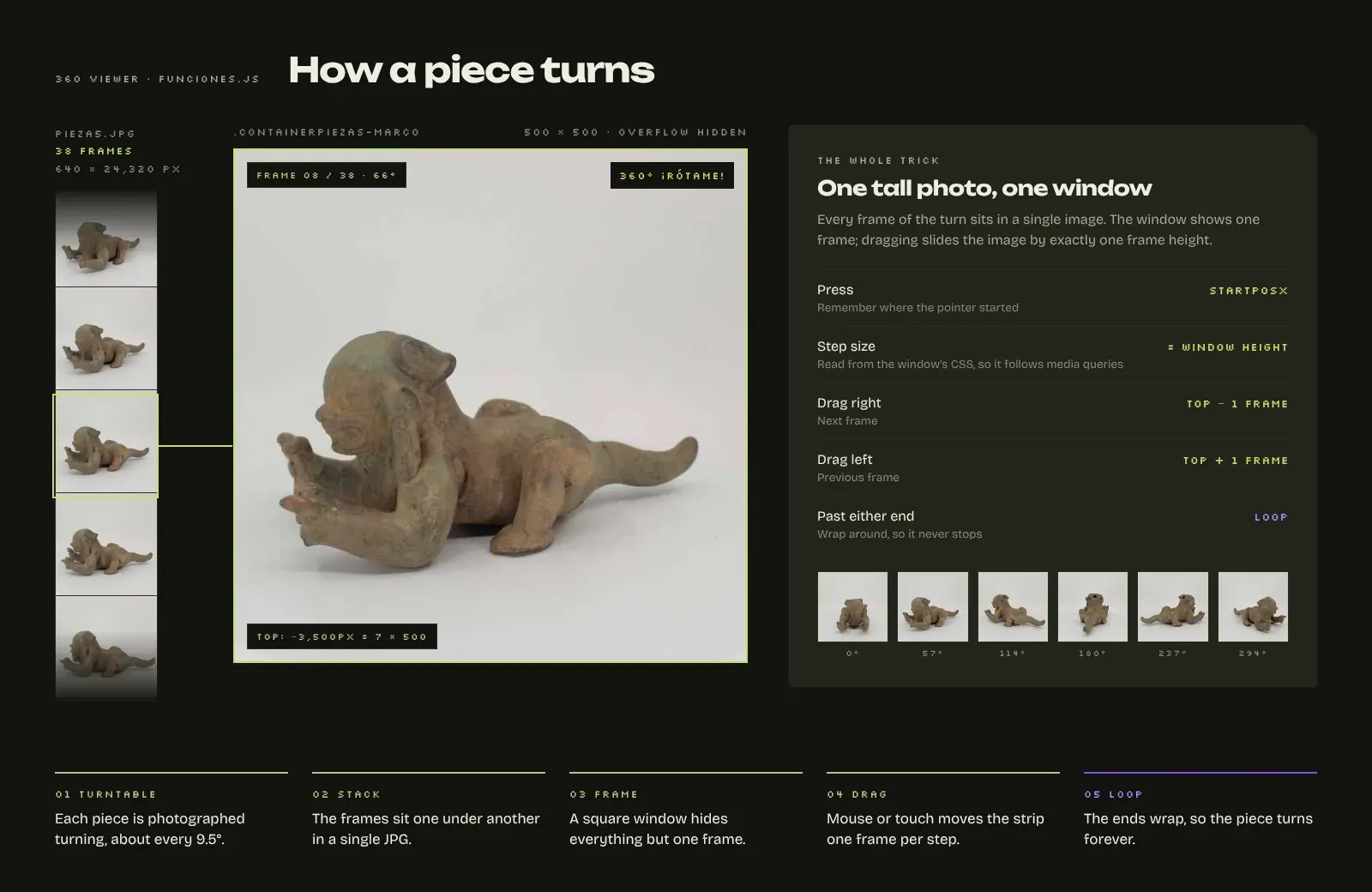
The whole trick: one tall photo and a window that shows one frame. Step 04 / 05
Make each piece readable
Under the viewer, six round tabs hold the facts the curators asked for: culture, period, type of object, material, representation and technique. Each has its own line icon, and one script runs the tabs on every piece page.
Then come the curators' critical observation, a ZOOM section with circular close-ups of the details they discuss, and the full list of references with links to the original studies.
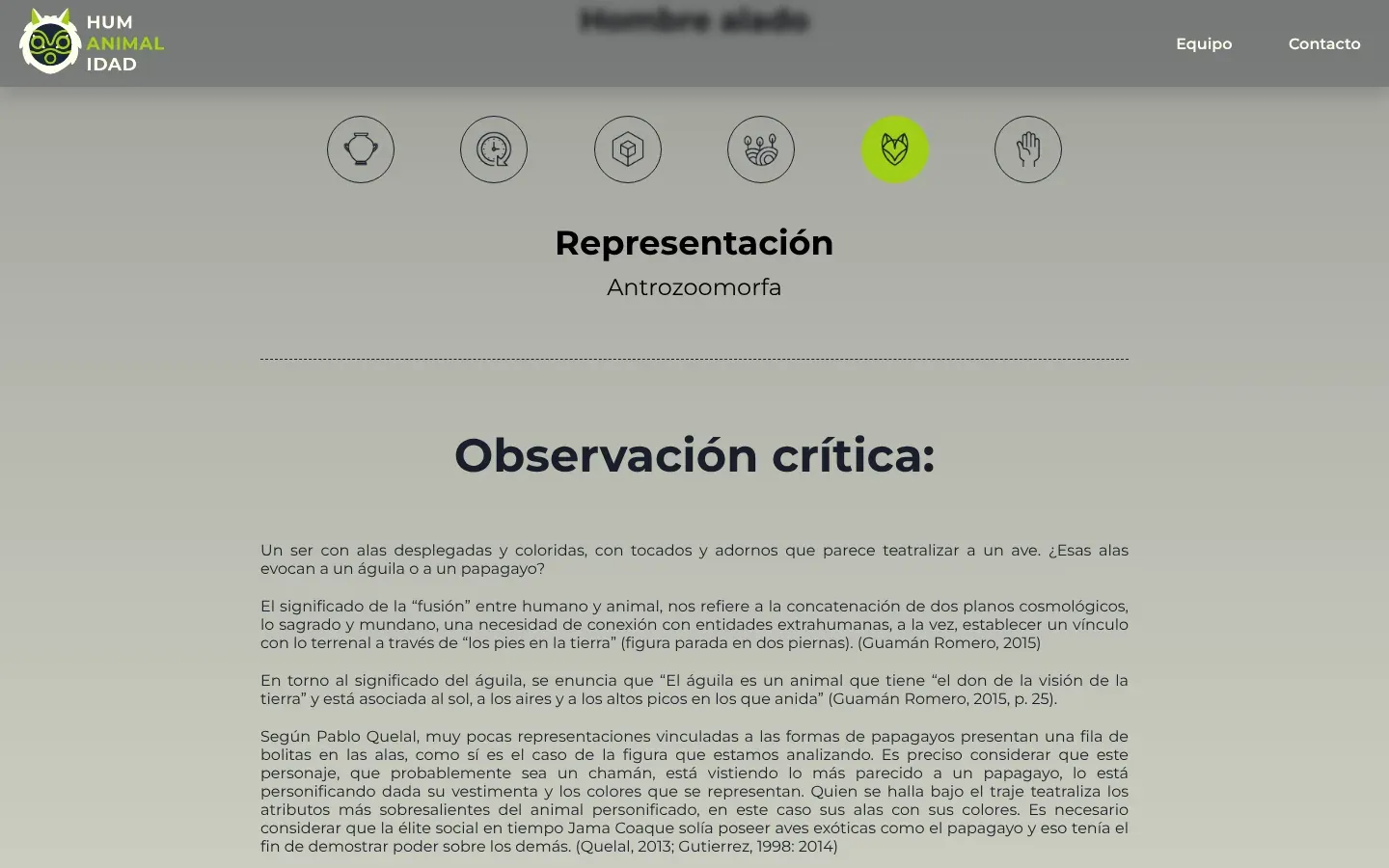
Six tabs, one per fact the curators wanted to show. 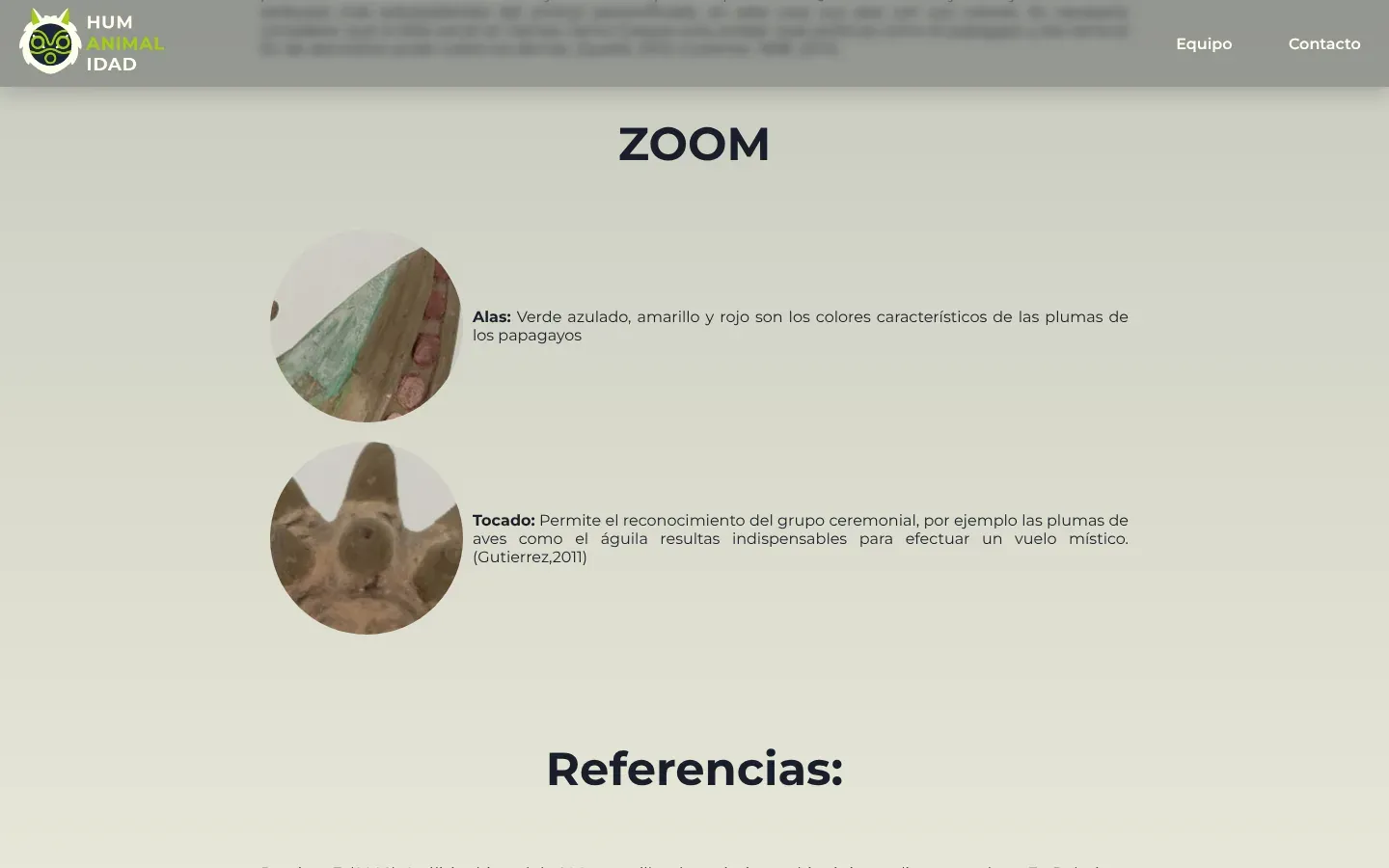
Close-ups bring the curators' details next to the text. Step 05 / 05
Fit it on a phone
On small screens the menu folds into a hamburger, the viewer shrinks to 280px and the tabs stay in a single row. Rotation listens to touch as well as the mouse, so turning a piece with your thumb feels as natural as dragging it on a desktop.
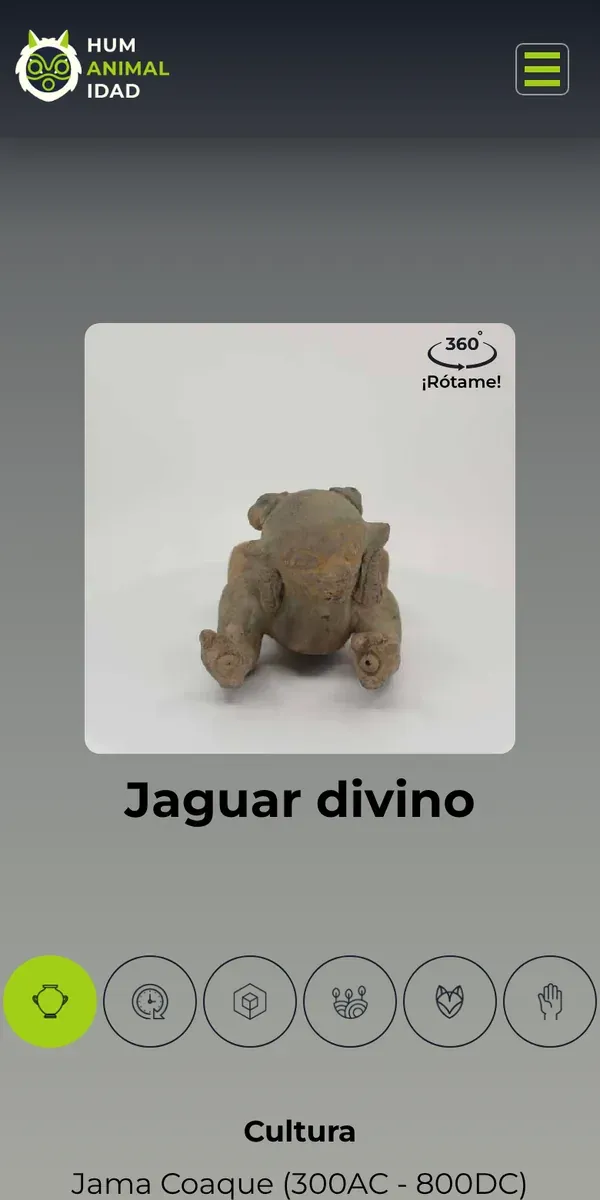
On a phone, you turn the piece with your thumb.
Where AI sped it up
Nothing. I built Humanimalidad in April 2024, before AI was part of how I work. No generated code, no templates and no libraries.
What I finished by hand
All of it. The 360 viewer, the scrolling title, the tabs, the menu and every layout for desktop, tablet and phone: about 280 lines of JavaScript and 800 lines of CSS, written and commented line by line.
If I built it today
The viewer still turns smoothly, and I'm proud of how much it does with so little. With what I know now, this is what I would change first:
- Drag by distanceToday the piece moves one frame per mouse event, so a fast mouse turns it faster than a slow one. Tying frames to the distance dragged, with pointer events, would make it feel the same on every device.
- Keyboard and screen readersLet the arrow keys turn the piece, describe each piece in its alt text, and give the tabs proper tab roles so a screen reader announces them.
- Lighter stripsThe strips are 250 to 730 KB as JPG. AVIF or WebP would cut that roughly in half, and moving the strip with a transform instead of top would keep it on the GPU.
- One templateThe six piece pages are copies of the same HTML. Generating them from one data file would make a seventh piece a few lines of text.
None of these change the idea. They make the same trick faster and open to more people.
The result
A museum shelf you can pick up and turn: six pieces that rotate under your finger, built without a single library or line of generated code.
- 223Frames
- Turntable photos across six pieces, 37 or 38 per piece.
- 1Image per piece
- The whole turn loads as one request, not 38.
- ~10°Per step
- Each drag step turns the piece about 9.5 degrees.
- 0Libraries
- Plain HTML, CSS and JavaScript, written by hand.
Have something people should be able to pick up and explore? Let's talk.
Puntonet Infrastructure Configurator