Puntonet Infrastructure Configurator.
An interactive 3D sales tool that turns a complex catalog of connectivity, cloud, cybersecurity and collaboration services into something a client can see, touch and understand in a single meeting.
> Try the prototype (opens in a new tab)- Client
- Puntonet, with MATTE
- My role
- Front-end and 3D development, interaction design, packaging for desktop and tablet
- Timeline
- July – October 2026 (about 3 months)
- Platforms
- Web, Windows desktop app, Android tablet app
The challenge
Puntonet sells more than 40 business services across four areas: Connectivity, Cloud, Cybersecurity and Collaboration. On paper, that catalog is a long list of acronyms (SD-WAN, XDR, IaaS, MFA…) that is hard for a client to picture and even harder to relate to their own company.
The sales team needed a way to sit with a client and build their infrastructure together, on screen: add their offices, drop services onto them, connect everything, and instantly see where they are covered and where they are exposed.
And it had to work anywhere a salesperson goes, on a laptop or a tablet, even without an internet connection.
From wireframe to 3D product
Step 01 / 06
Validate the interaction first
Before any visual polish, I built a working prototype with simple wireframe shapes. The goal was to prove the core mechanic with the client as early as possible: drag an office onto the canvas, drag a product onto that office, and see a summary panel react.
A clickable version was in the client's hands from the first days of the project, so every conversation from then on was about a real, usable tool instead of static mockups.
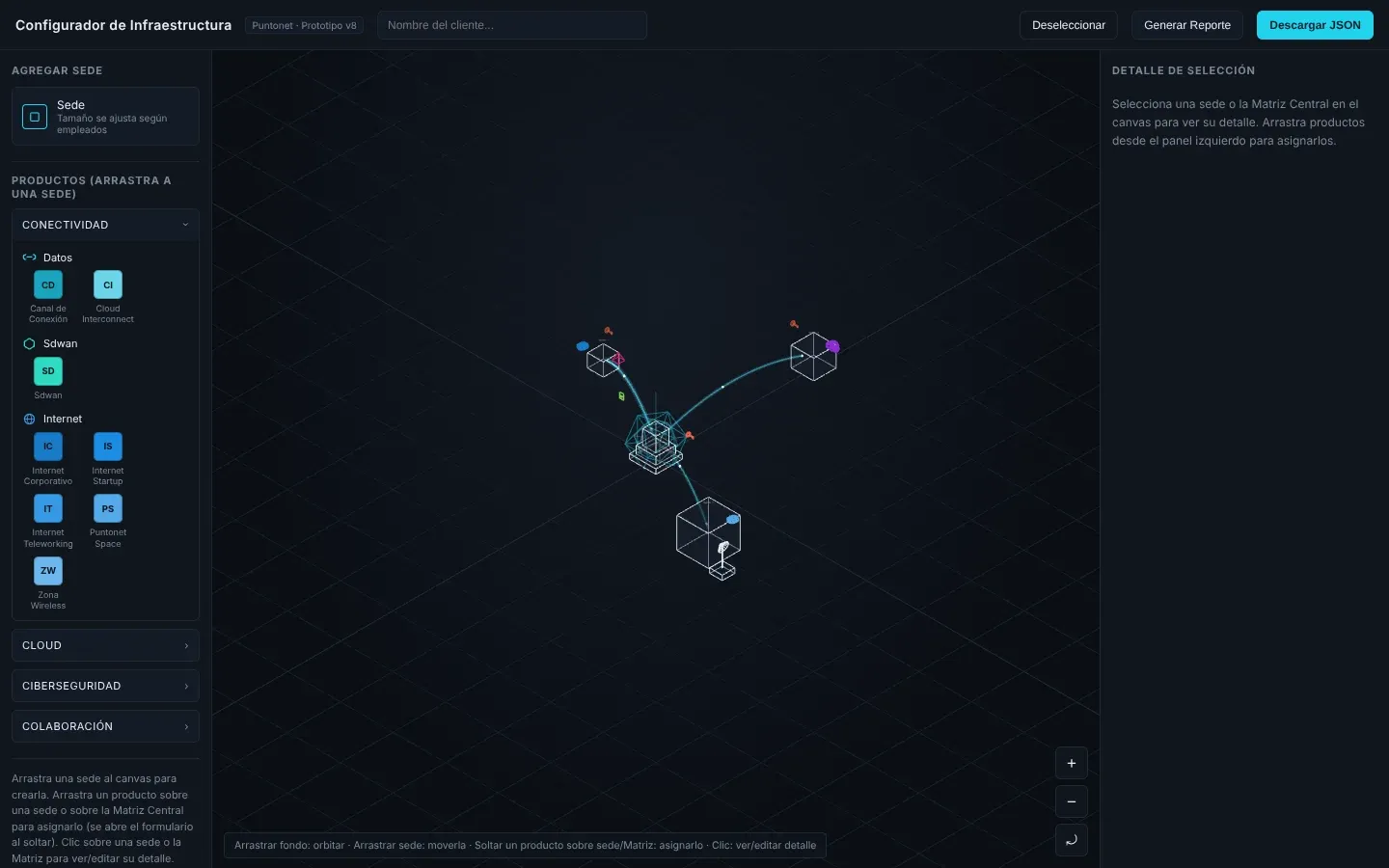
Week one: wireframe cubes, but the full drag-and-drop logic already working. Step 02 / 06
Shape the logic with the client
Regular review sessions with the client turned the prototype into a real sales tool. We modeled their actual business rules: which services can live in a branch, which only in the datacenter, which ones need a connection to another site or to a cloud provider, and how they are bundled together.
We also defined an Infrastructure Health score: a simple bar per category that fills up as each of the client's locations gets covered. It gives the salesperson and the client a shared, visual way to talk about gaps.
Step 03 / 06
Bring in real 3D
Once the interaction was solid, the wireframes were replaced with custom 3D models: three office sizes that grow with the number of employees, a head office, the Puntonet datacenter and cloud providers. Each one was tuned for lighting, materials and color until the rendered scene matched the art direction's reference images.
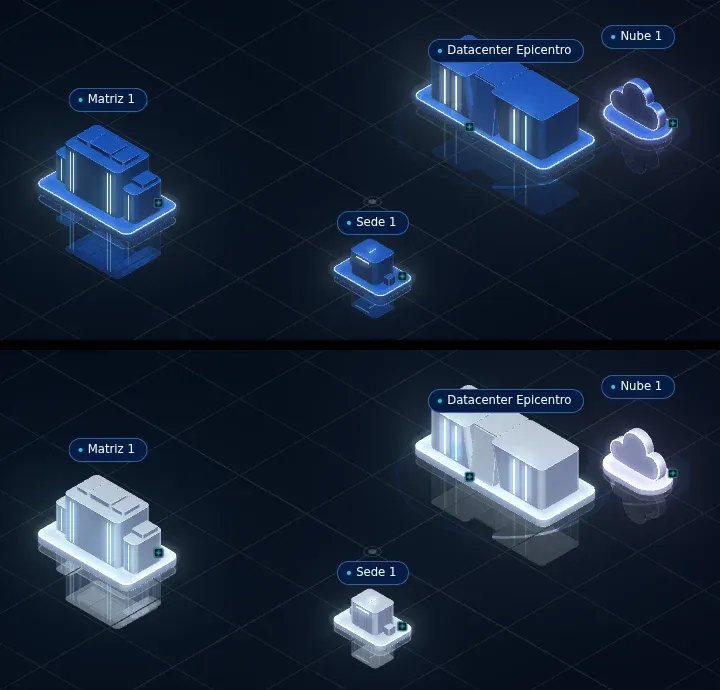
Iterating on materials: from blue buildings to the cleaner final finish. 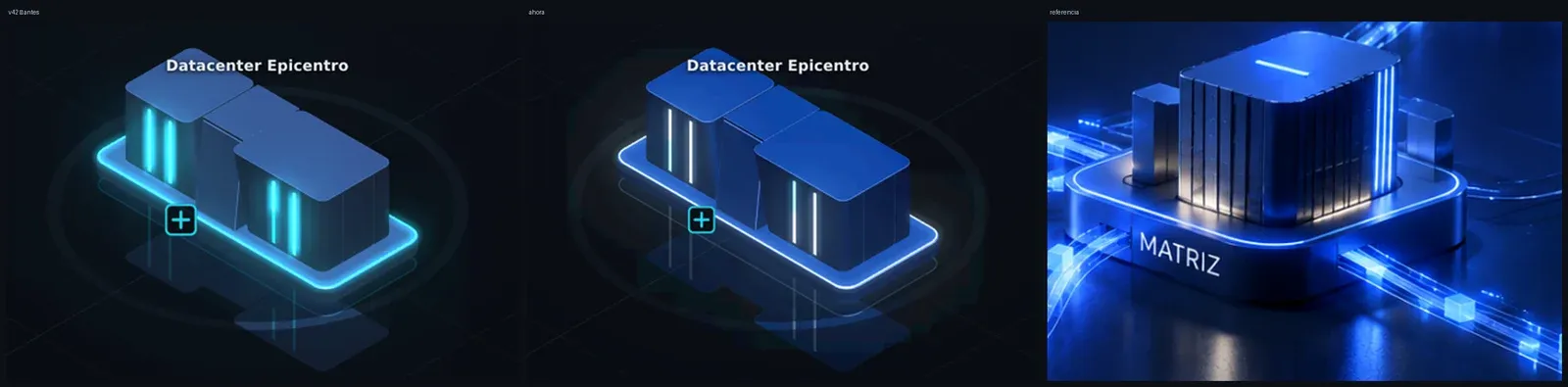
Before, after and the art direction reference, side by side. Step 04 / 06
Apply the design system
With the brand's new design system ready, I rebuilt the whole interface around it: the product catalog, the detail panel, the controls and the health bar, all rescaling cleanly for different screen sizes.
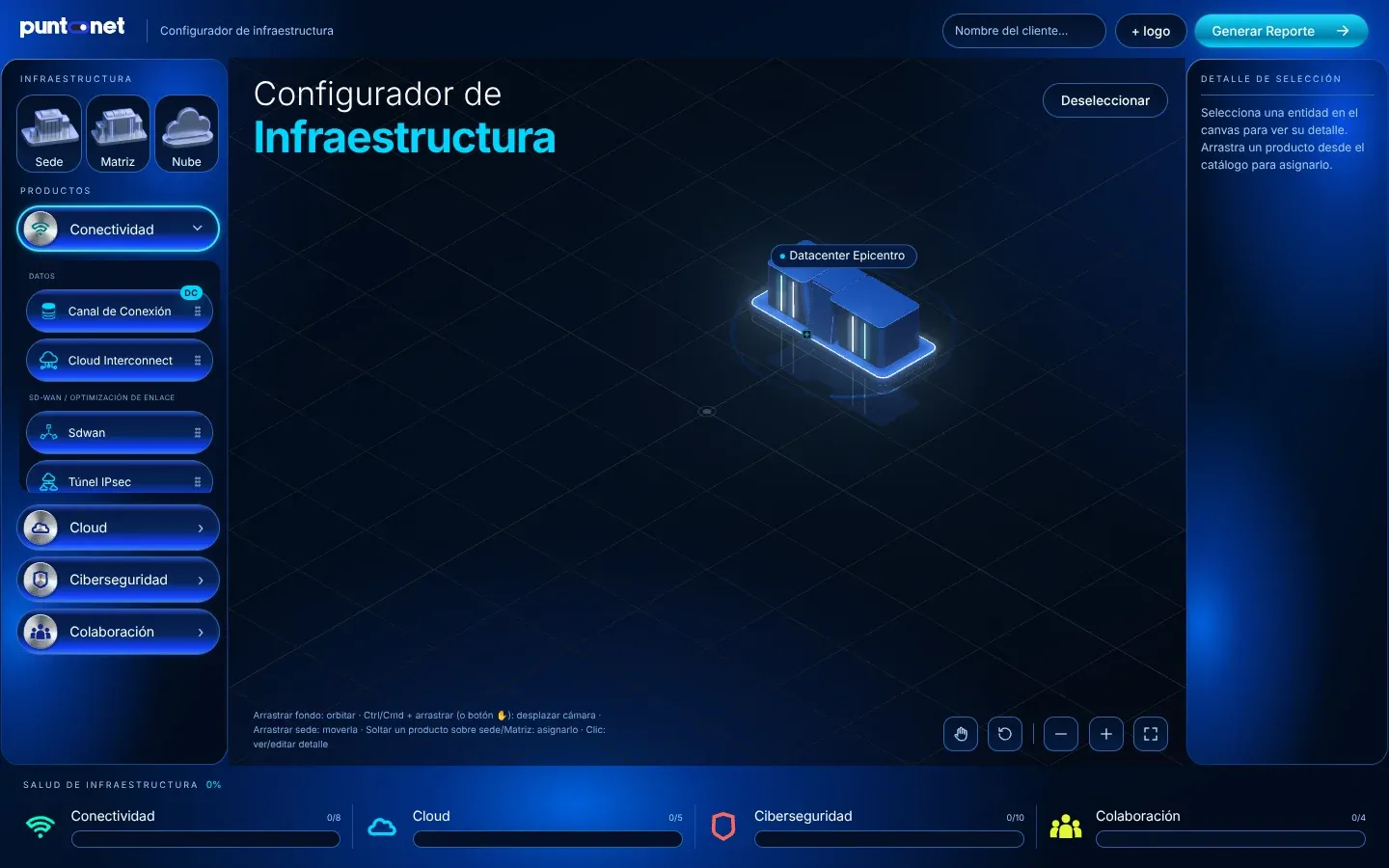
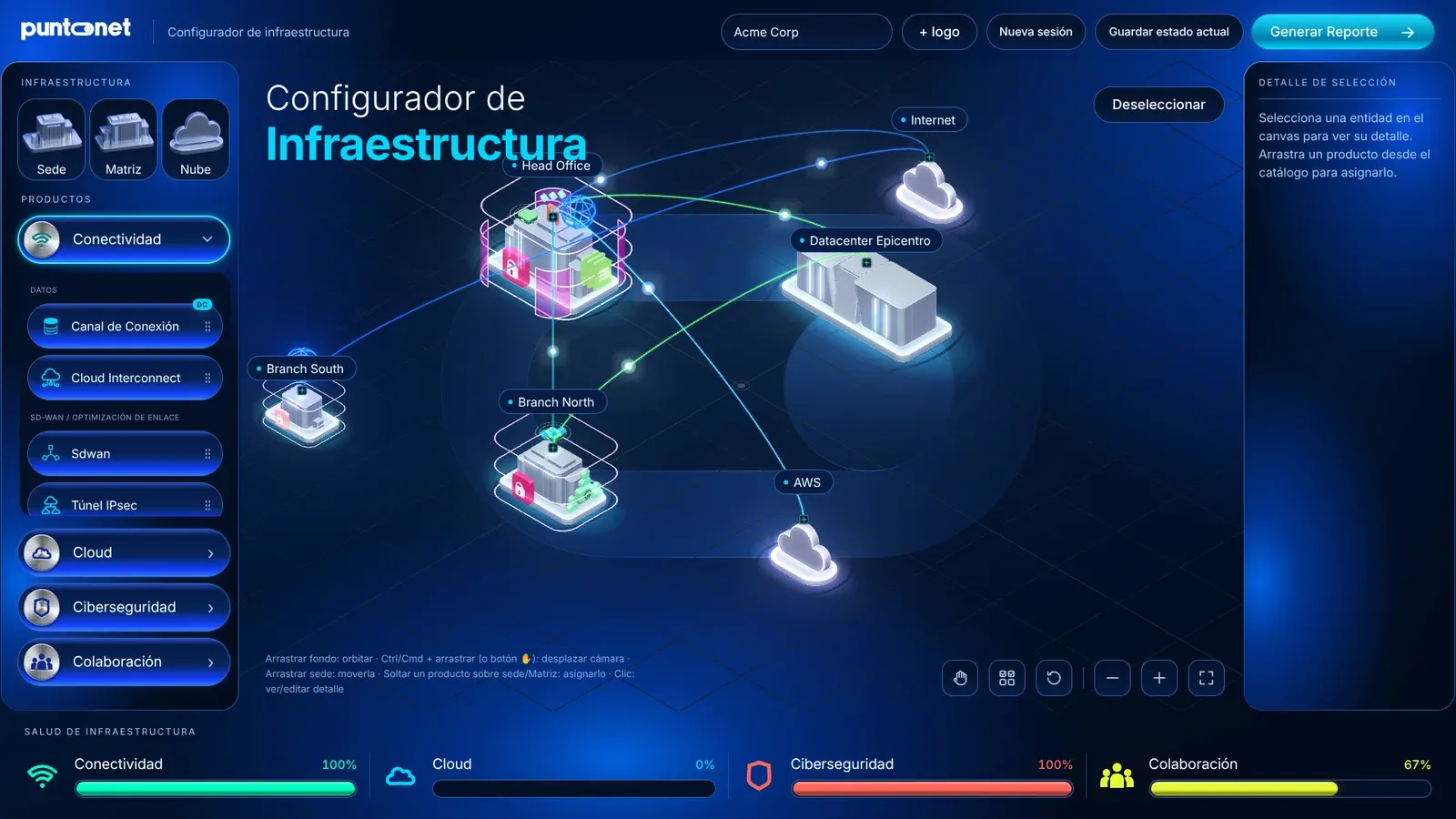
The new branded interface, applied over the same proven logic. Step 05 / 06
Make every service visible
Each service got its own 3D icon (a shield, a padlock, an antenna, a globe…) that appears on top of the building it was assigned to. Connections are drawn as animated lines with light traveling along them, so a client can literally see their data flowing between offices, the datacenter and the cloud.
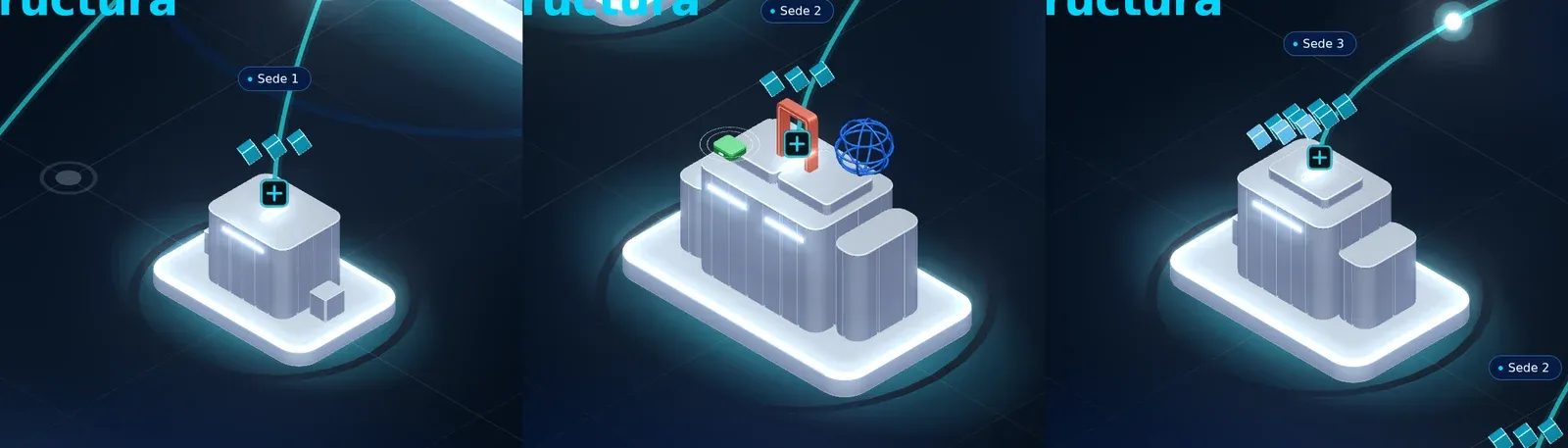
Products appear as 3D icons on each building, linked by animated connections. Step 06 / 06
Close the meeting with a report
At the end of the session, one click generates a branded PDF: the client's infrastructure before and after, their health score, and every connection and service proposed. The salesperson leaves the meeting with a document the client can share internally.
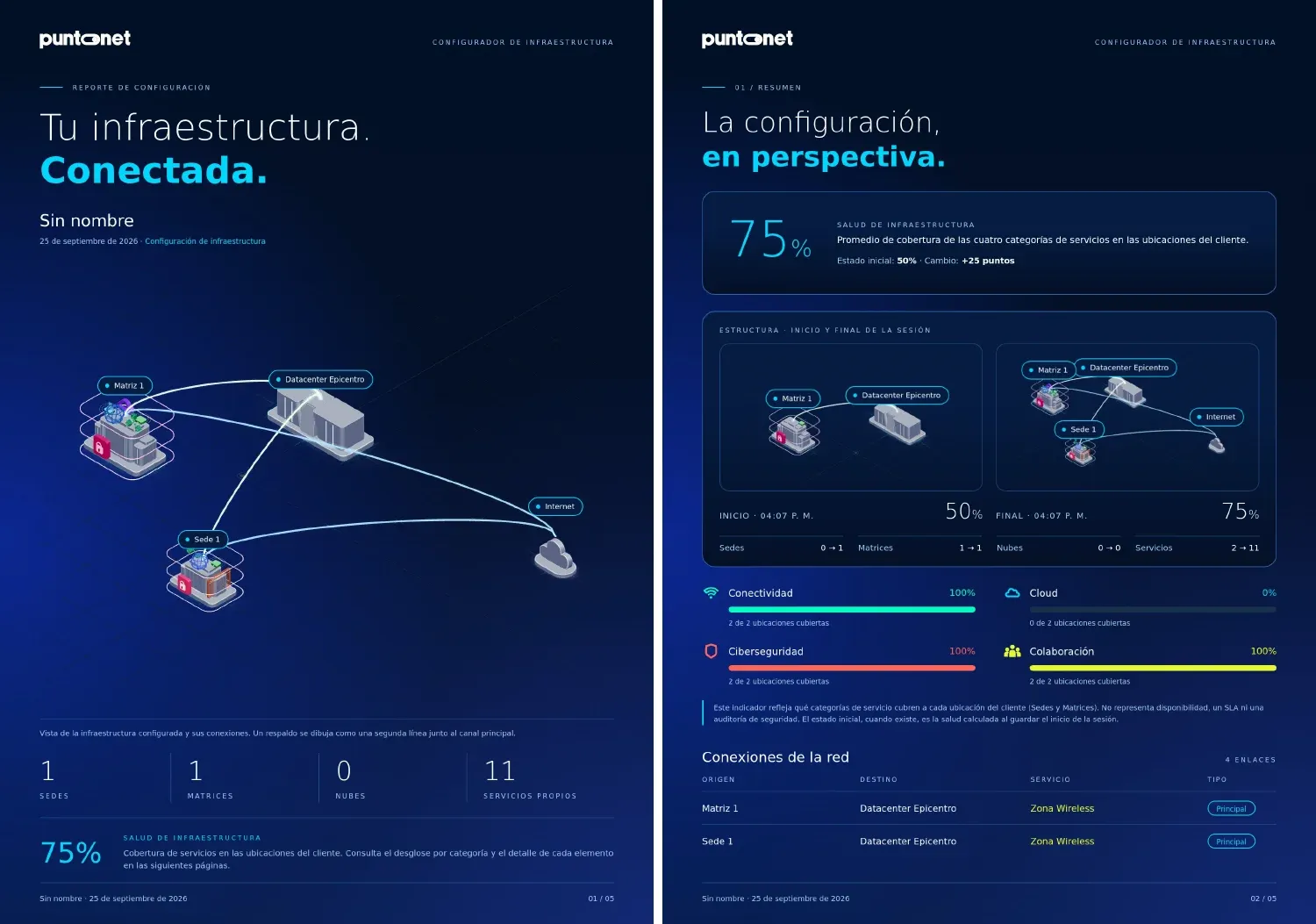
The auto-generated report, showing the client's progress from start to end of the meeting.
From the browser to desktops and tablets
Salespeople visit clients in places with poor or no connectivity, and the client's data has to stay on the device. So the final step was turning the web app into installable products that work 100% offline:
- Android tablet appOptimized for touch: pinch, drag, long-press and multi-select.
- Windows desktop appIts own installer and desktop shortcut.
- Offline web versionKeeps working after the first visit.
All three share exactly the same code, so every improvement reaches every device at once. Sessions are saved automatically on the device, and nothing is sent to external servers, which also made the IT and data-privacy review straightforward.
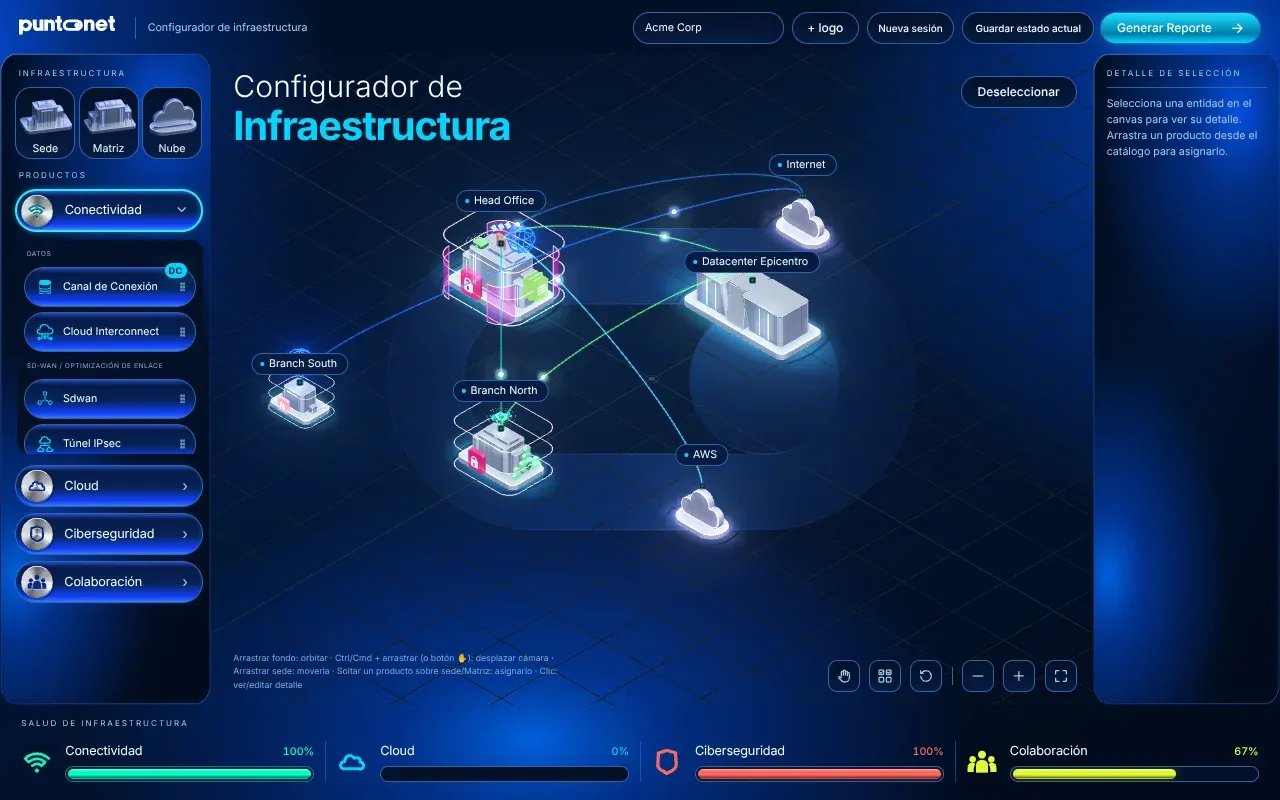
The result
From a list of acronyms to a visual conversation: clients see their own company on screen and understand what each service does for them.
- 40+Services
- Across 4 categories, each with its own 3D icon and business rules.
- 3Platforms, 1 codebase
- Web, Windows and Android, all fully offline.
- 260+Automated checks
- Run before every release, so it stays reliable by design.
- ~3Months
- From wireframe to installed product, shaped session by session with the client.
Have a complex product that's hard to explain? Let's make it something your clients can see.
Paam Portfolio