Paam Portfolio.
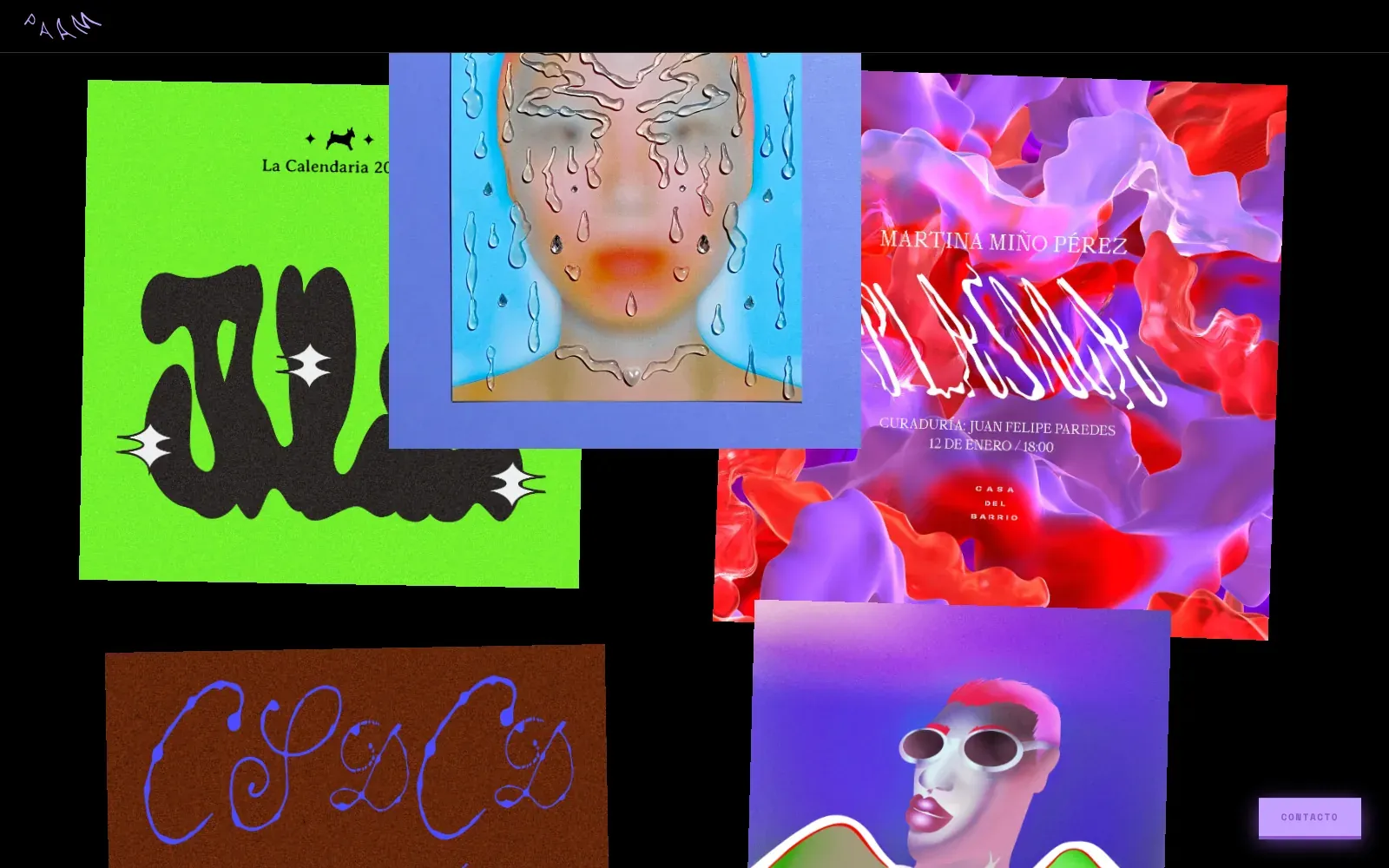
A portfolio for Pamela Silva (Paam), a designer and illustrator from Quito. Her work hangs on a black wall like a collage: tilted, overlapping and placed by hand. Built in three to four days with plain HTML, CSS and JavaScript.
> Visit the site (opens in a new tab)- Client
- Pamela Silva (Paam), designer, illustrator and art director, Quito
- My role
- Front-end developer, from her reference to the live site
- Timeline
- 3–4 days, March 2026
- Platforms
- Website, desktop and phone
The challenge
Paam is a designer, illustrator and art director with a loud, alternative style: 3D type, chrome, acid colors and posters for clubs and festivals. She needed a website, and she needed it as fast as possible.
She sent me a reference: a collage, not a grid. Pieces of different sizes, slightly tilted, overlapping each other like prints dropped on a table. A normal portfolio template would have flattened all of that.
So the job was to turn a free-form collage into a real web page: one that keeps its composition on any screen size, opens each project to see it closer, still works on a phone, and goes live in a few days.
From reference to live site
Step 01 / 05
Read the reference
I studied what made the reference feel handmade: no two pieces the same size, small tilts of one or two degrees, and overlaps that look accidental but guide the eye down the page.
I kept the page itself almost empty so the work could carry it: a black background, her lilac hand-drawn logo, a typewriter font and a crosshair cursor. Lilac is the only interface color, taken from her logo.
Step 02 / 05
Turn the collage into data
A collage can't be built with a regular grid, so I wrote the layout as data. One list holds the projects (title, cover, gallery). A second list holds the rows of the collage, and each card in a row gets five numbers: left, width, aspect, tilt and a vertical nudge.
A small script reads the rows from top to bottom. Widths are a percentage of the screen, so the collage scales as one piece; height comes from the aspect; the nudge pulls a card up into the row above to make the overlaps. Then a row cursor moves down by the tallest card and the next row starts.
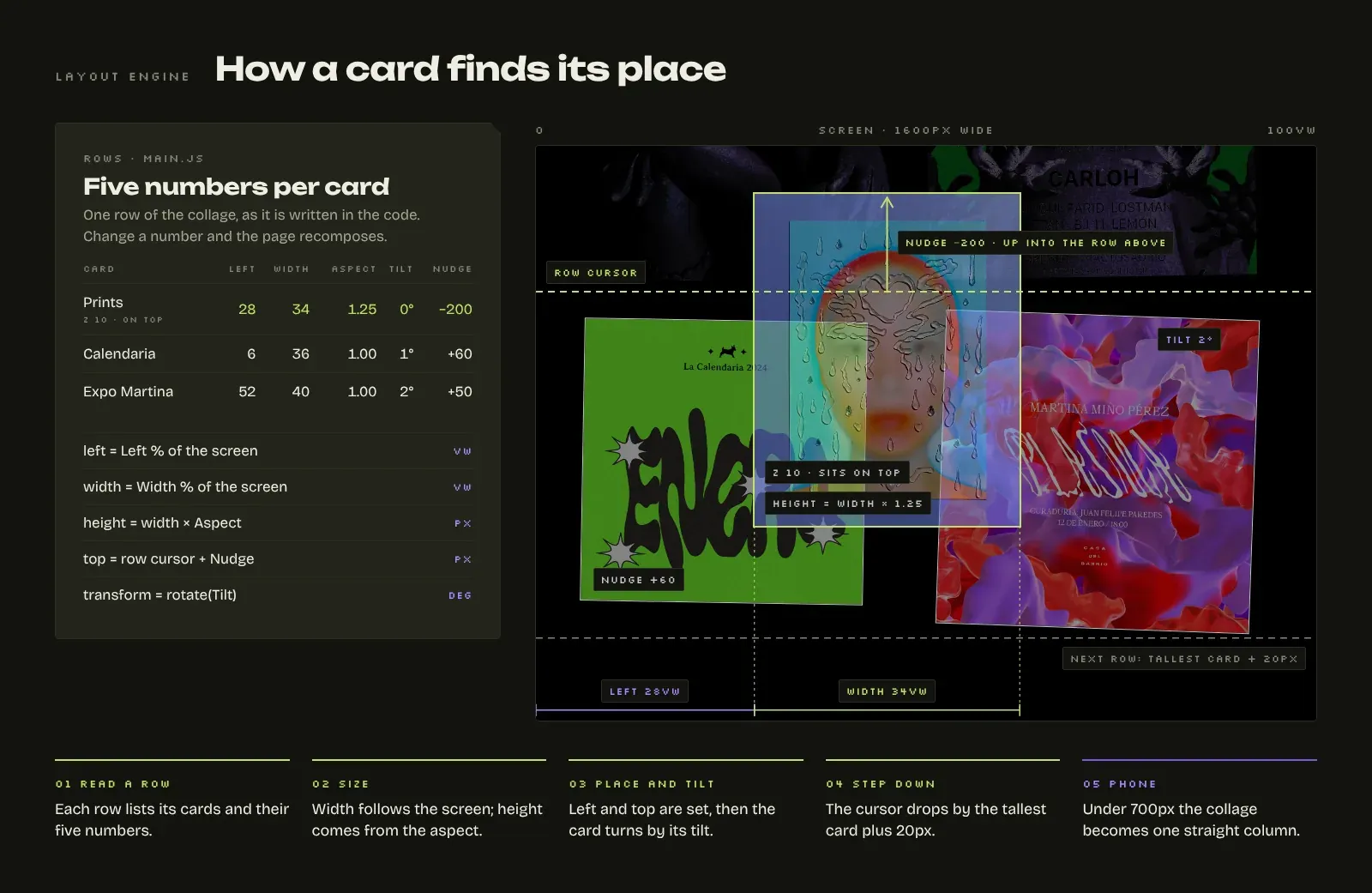
The layout engine: five numbers per card, read row by row. Step 03 / 05
Place every card by hand
With the engine in place, the real design work began: I tuned the numbers for 27 cards across 17 rows until the page matched the feeling of her reference. Some cards overlap by a few pixels, some reach 400px into the row above, and a few sit on top with a higher layer.
Three of her small Funkafest animations (a flower, a bee and a cloud) became stickers scattered around the Funkafest poster. They aren't projects; they make the wall feel more alive.
On hover, a card lifts slightly and comes to the front, like picking a print up off the table.
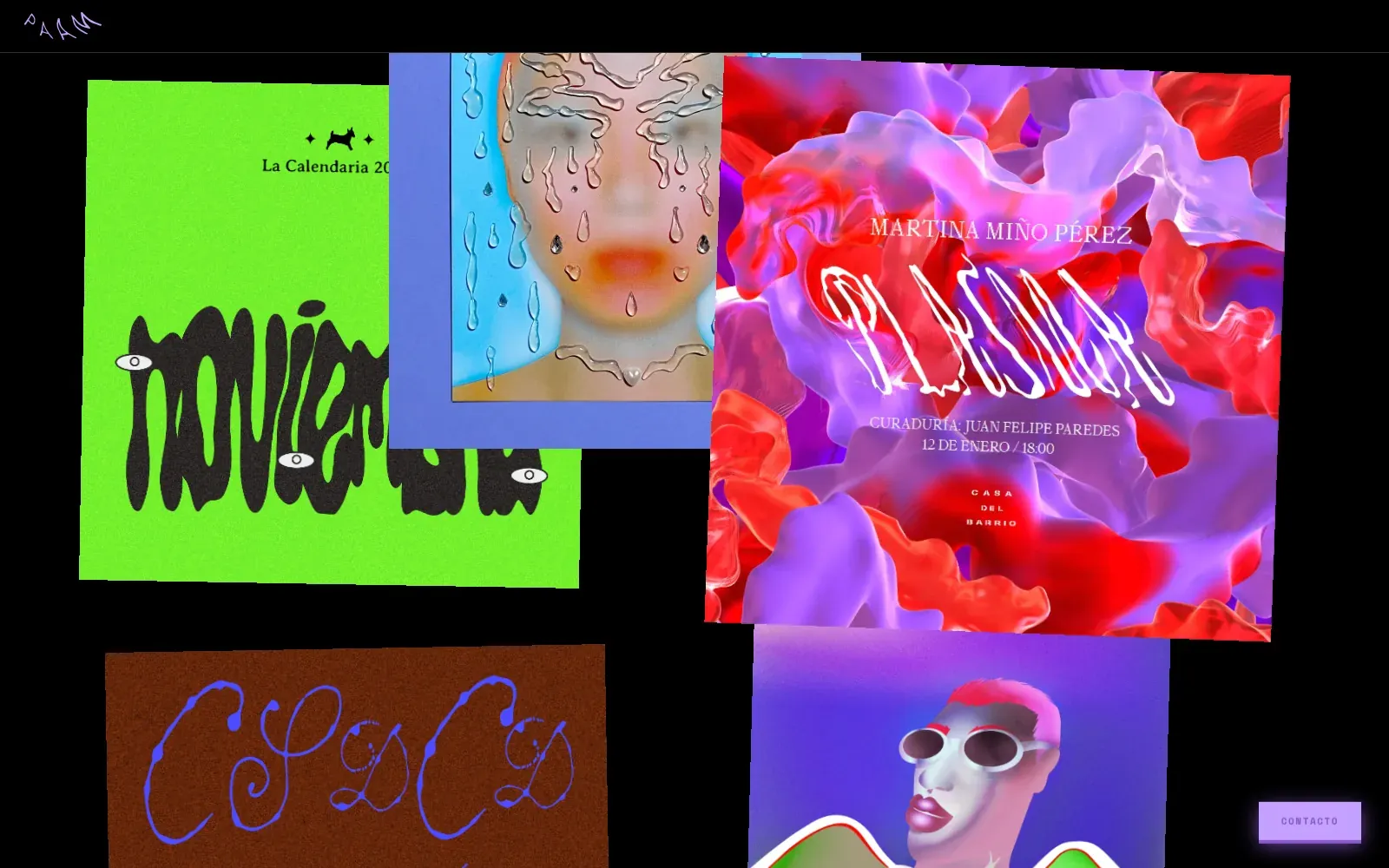
Hover: the card lifts and comes to the front of the pile. Step 04 / 05
Let people look closer
The collage shows only covers, with no titles, so the work speaks first. Clicking a card opens a project viewer: the project name, a large image or video and a row of thumbnails that swap the main image.
The viewer closes with its button, the Escape key or a click outside it. Covers can be images, animated GIFs, MP4 videos or Vimeo links, and the same code handles all of them.
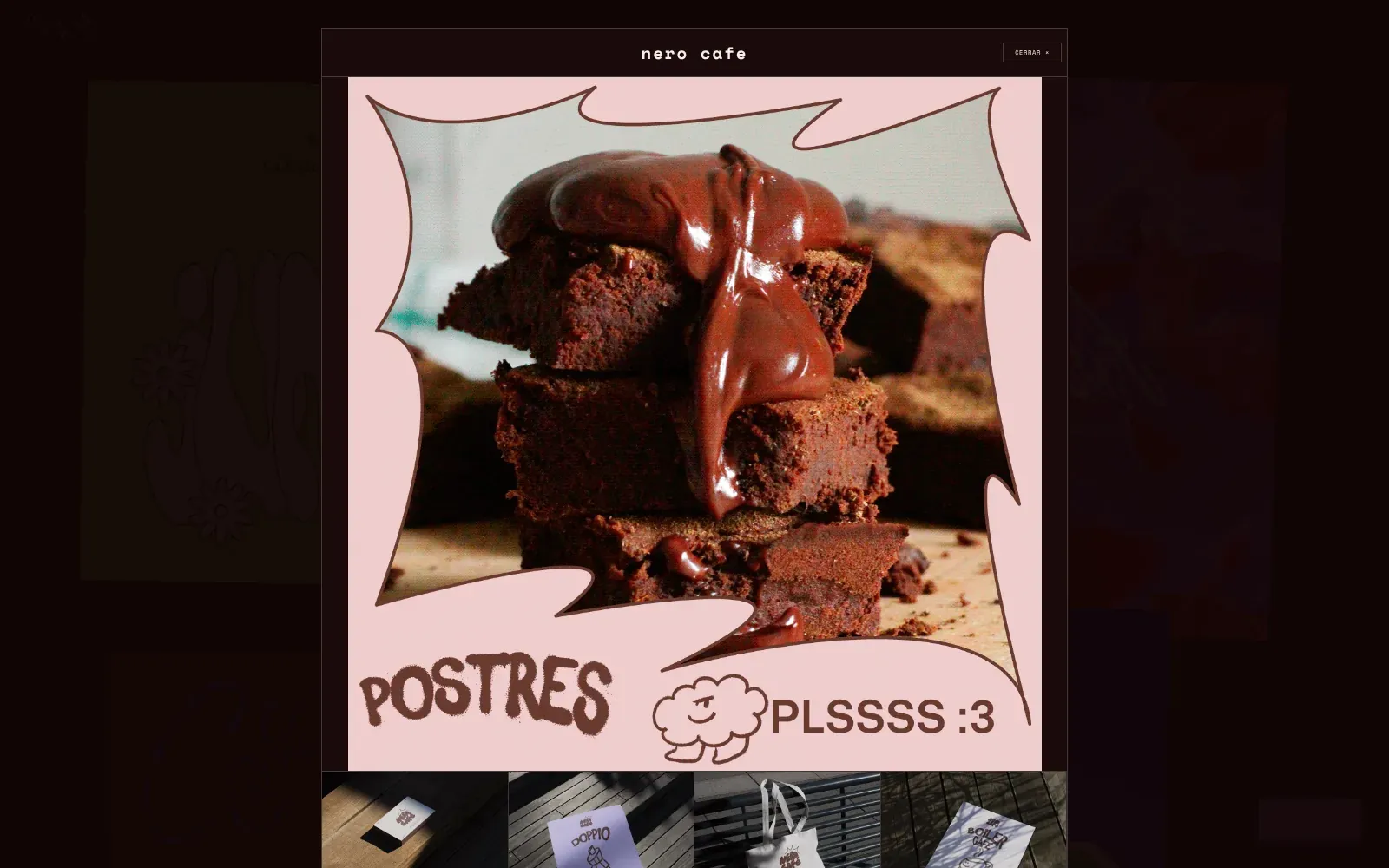
The project viewer: one large piece and its gallery. Step 05 / 05
Fold it for phones
A tilted collage doesn't fit on a 375px screen, so below 700px the script builds a single straight column instead, at full width, without the stickers. The project viewer switches to a two-column gallery.
The lilac contacto button stays in the corner on every screen and scrolls to her Behance, Instagram and WhatsApp links.
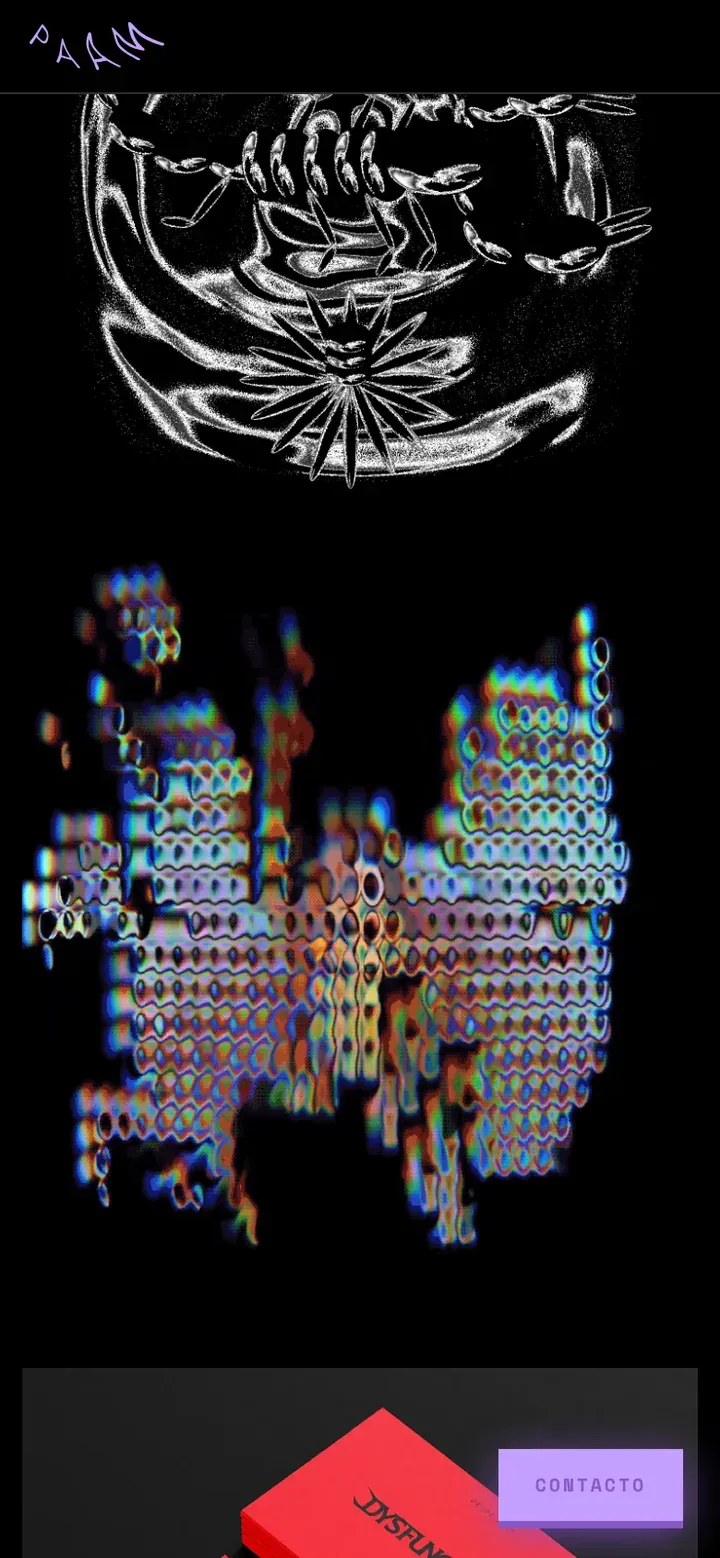
On phones the collage becomes one column.
Where AI sped it up
AI wrote the first version of the layout script and the positioning math: turning screen percentages into sizes, stacking the rows and keeping the collage in proportion on any screen.
What I finished by hand
Every card's place is mine. I set the position, size, tilt and overlap of all 27 cards by hand until the page matched Paam's reference, and built the phone version and the project viewer.
If I built it today
The site did its job: Paam had a portfolio online within days. With more time, this is what I would improve first:
- Lighter mediaSome covers are animated GIFs of 20 to 38 MB. As MP4 or WebM videos they would be around ten times smaller and load much faster.
- Keyboard accessMake each card a real button, move focus into the project viewer when it opens and back to the card when it closes.
- Layout unitsThe nudges are in pixels while everything else scales with the screen. Moving them to screen units would keep the overlaps exact on very wide or narrow screens.
- Reduced motionStop the floating contact button for visitors who ask their system for less motion.
None of these change how the site looks. They make it faster and open to more people.
The result
Paam had her portfolio online in three to four days: a site that looks like her work, not like a template, and a layout that grows by adding a line of data.
- 3–4Days
- From her reference to a live site.
- 27Cards placed by hand
- Across 17 rows, plus three animated stickers.
- 5Numbers per card
- Left, width, aspect, tilt and nudge. That is the whole layout.
- 0Dependencies
- Plain HTML, CSS and JavaScript. Nothing to install or update.
Need a site that looks like your work, not like a template? Let's talk.
Retro Player