Retro Player.
A personal music library in the browser: upload your MP3s once, then log in from any device to play, rename or delete them. React on the front, an Express API behind it, Google Drive for the files and PostgreSQL for the data.
> View the code (opens in a new tab)- Context
- Final project, Fullstack Development course at CEI
- My role
- Solo, from interface to database and deployment
- Timeline
- June – July 2024 (about 4 weeks)
- Platforms
- Web app + REST API
The challenge
The brief for my Fullstack course's final project was a full CRUD application (create, read, update, delete) built with a front-end framework. I chose React.
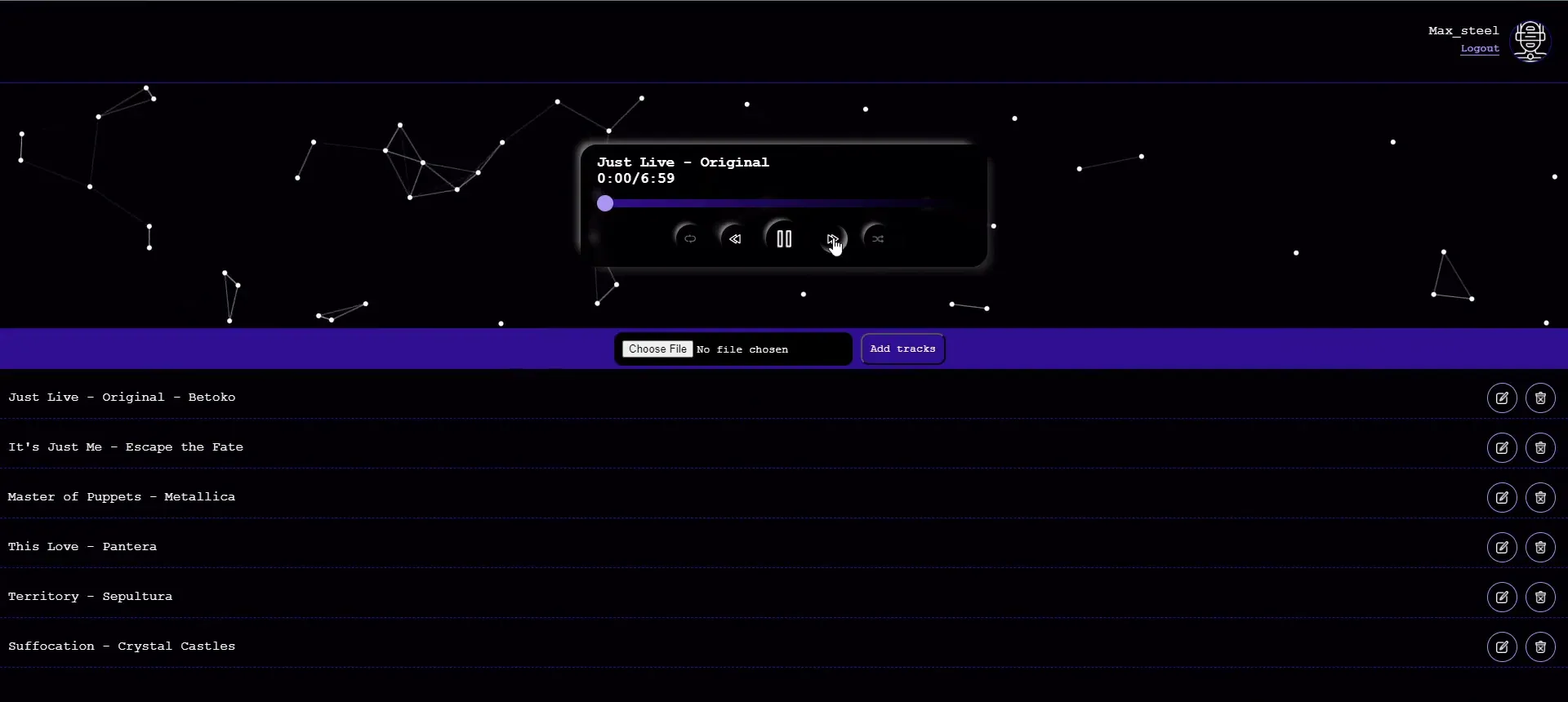
I wanted to build something I would actually use: my own music library in the browser. Upload my MP3s once, then log in from any device and play, rename or delete them.
That meant three things I had never done before: build an audio player from scratch, work with the Google Drive API, and find somewhere free to keep large audio files that a web app could stream back.
From play button to database
Step 01 / 05
Start with the player
The player was the riskiest part, so I built it first, with a few local MP3s and no backend at all. Playback runs on a single browser audio element kept in React state, so changing track swaps the source instead of creating a new player.
Within a week it had play and pause, previous and next, loop and shuffle, autoplay of the next song, a time readout, and a custom seek bar that shows how much of the song has played and how much has already downloaded.
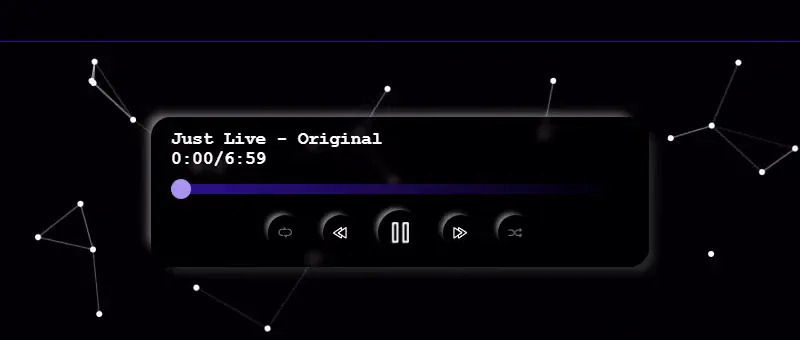
The player card: seek bar with played and buffered ranges, and the five controls. Step 02 / 05
Find a home for the audio
Audio files are too big for a free database, so I researched where to put them and chose Google Drive, reached through a service account. On a user's first upload, the API creates a folder just for them and stores every song there.
Browsers can't play a Drive file directly from another site, so I added a small proxy endpoint: the player asks my API for a song, and the API streams it from Drive with the right headers. The database only stores that proxy link.
Step 03 / 05
Build the API
The backend is a Node.js and Express REST API with 8 endpoints for login, the track list, upload, edit, delete and the audio proxy. Uploads arrive as a multipart form handled by Multer, in memory, so nothing is written to the server's disk.
Before saving, the API reads the song's ID3 tags, so title and artist fill themselves in. Deleting a song removes it from both Drive and the database, so the two never drift apart.
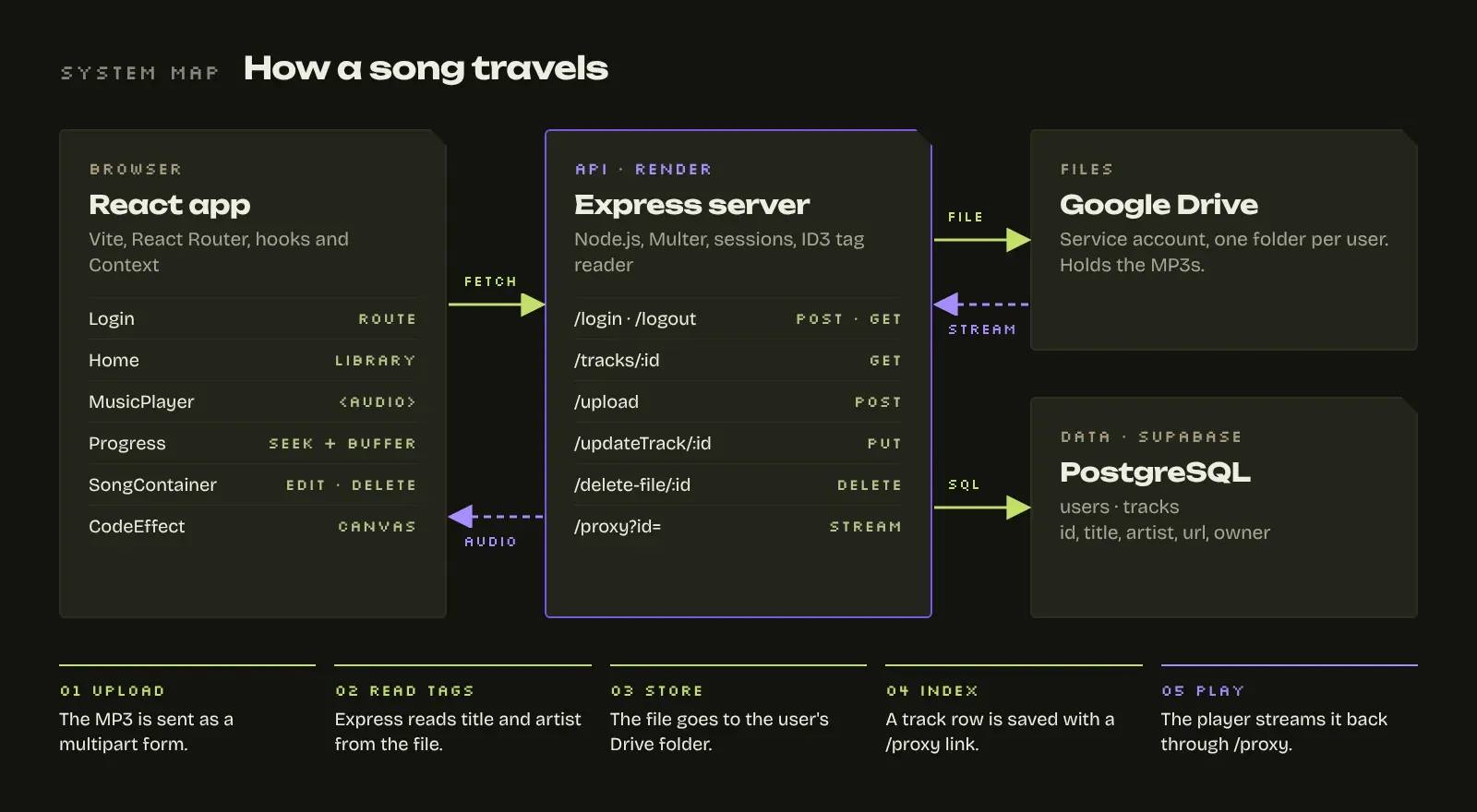
How a song travels: from the upload form to Drive and the database, and back to the player. Step 04 / 05
Make it someone's library
On the front end, React Router separates the login screen from the library, and a React Context shares who is logged in across the app. The API keeps a session per user, so each person only loads their own songs.
Each row in the library can be played with a click, edited in place (title and artist become two inputs and a save button) or deleted. The list updates right away, without reloading the page.
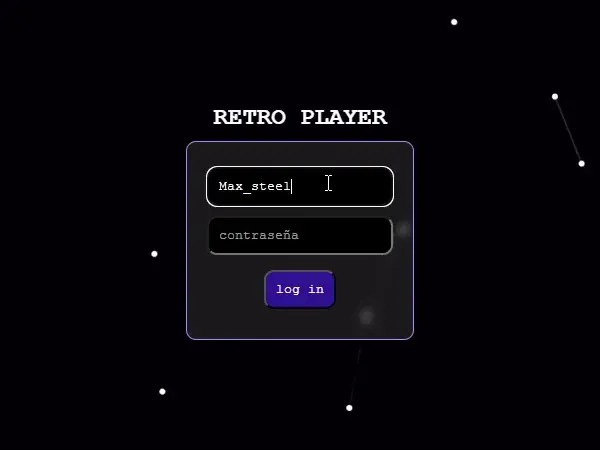
Login: one card, nothing else on screen. 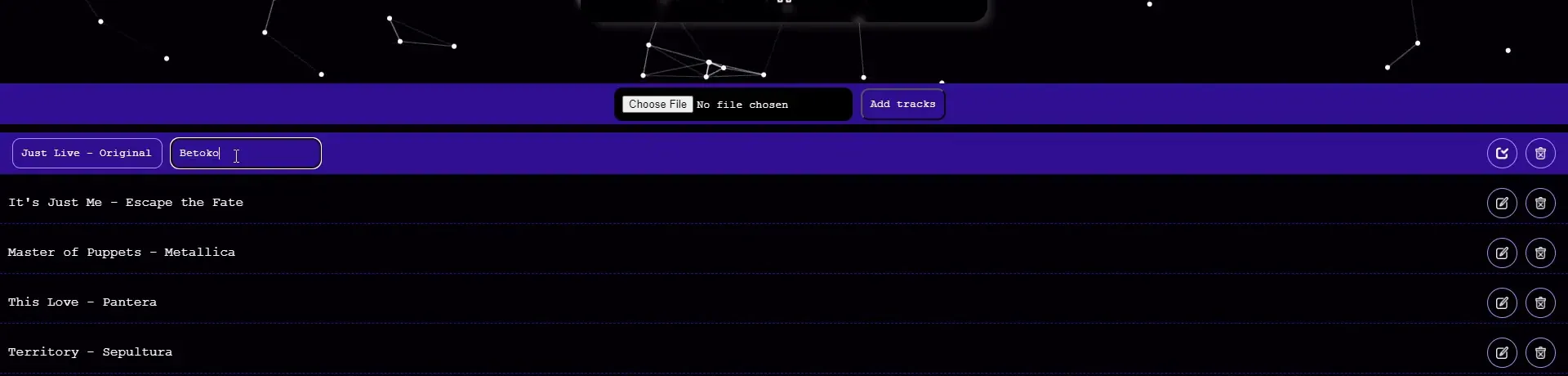
Editing a song in place: title and artist become inputs, the edit button becomes save. Step 05 / 05
Ship it and keep it running
The API was deployed to Render and connected to a cloud PostgreSQL database over SSL. Both repositories are commented throughout and have a README that explains setup, environment variables and every endpoint.
The database has since moved to Supabase, whose free tier keeps the project online at no cost. Because the API talks plain PostgreSQL, the move only meant new connection settings.
Halfway through the project my laptop died. Everything was already on GitHub, so I cloned the repositories on another machine and carried on the same day.
If I built it today
Retro Player was my first complete fullstack app, and I'm proud of it. Looking back with more experience, this is what I would change first:
- PasswordsHash them with bcrypt, or hand sign-in to Supabase Auth, instead of comparing them as stored.
- Access controlCheck the session on every request, so a user can only read or change their own songs.
- File storageMove the audio to Supabase Storage with short-lived signed links, which removes the Drive proxy.
- Database connectionsShare one connection pool across requests instead of opening a connection per query.
- ConfigurationRead the API address and the session secret from environment variables, not from the code.
None of these change what the app does. They change how safely it would run with real users, which is the difference between a class project and a product.
The result
A working fullstack product, built solo in four weeks: from the play button down to the database, and still online today.
- 8REST endpoints
- Login, library, upload, edit, delete and the audio proxy.
- 2Repositories
- A React front end and an Express API, both documented.
- ~4Weeks
- From an empty repository to a deployed app.
- 0Lines lost
- My laptop crashed mid-project; Git and GitHub had everything.
Need a web app built end to end, from the database to the play button? Let's talk.
Humanimalidad